
What Is Envio TCS?
Envio TCS is the official digital shipping and logistics platform offered by TCS (Tranzum Courier Services) — Pakistan’s leading courier and logistics company. It acts like a command center where businesses, e‑commerce sellers, and frequent shippers can:
- Book and schedule parcel pickups
- Generate shipping labels and airway bills
- Calculate real‑time shipping costs
- Track shipments across Pakistan and globally
- Manage shipment history and customer data
- Monitor Cash‑On‑Delivery (COD) collections and reports
It’s designed to give end‑to‑end control over your shipping needs, all from one online dashboard.
For more informational Articles TCS Calculator
Why Use Envio TCS?
Shipping is more than just handing over a box — it’s about control, transparency, and reliability. Here’s why Envio TCS matters:
- Central Dashboard: See everything from pending shipments to recent activity at a glance.
- Cost Calculator: Get accurate shipping rates before booking, so you never get surprised.
- Multi‑User Accounts: Perfect for businesses where several team members handle shipping.
- COD Management: Track what’s been collected and what’s pending — vital for online sellers.
- Real‑Time Tracking: See live updates on all your shipments without calling customer support.
Step‑by‑Step: How to Use Envio TCS
1. Create Your Account
- Visit the official Envio portal: Typically at envio.tcscourier.com.
- Click Sign Up or Register.
- Enter your basic business details, email, and phone number.
- Verify your email to activate the account.
(Note: This may require approval from TCS if it’s a business account with COD privileges.)
2. Login to Envio TCS
- Go to the Envio portal login page.
- Enter your registered email and password.
- Click Login to access the dashboard.
- If you forget your password, use the Forgot Password link.
3. Book a Shipment
- In your dashboard, click Create Shipment.
- Enter sender and receiver details.
- Add item weight, size, and declared value.
- Review the cost using the integrated calculator.
- Confirm and print your airway bill or label.
- Hand it to a TCS rider or drop it at a TCS center.
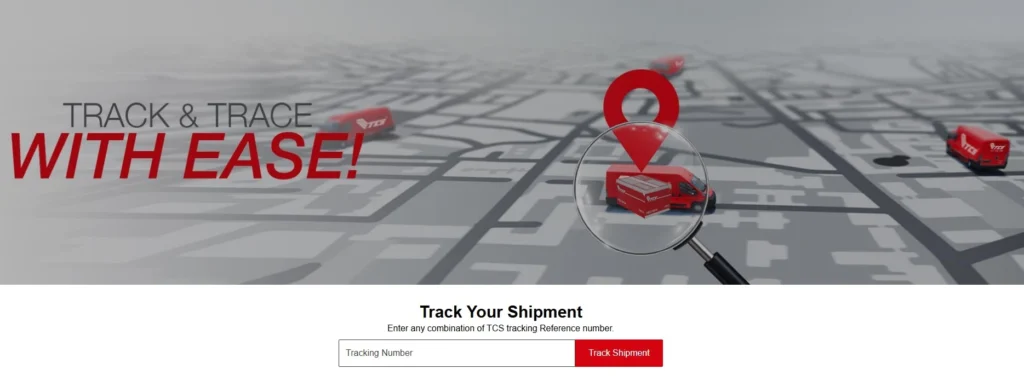
4. Track Your Shipment
Once booked, your shipment will have a unique tracking number. You can track parcels:
- On the TCS website or app
- Using the Envio portal
- Via SMS by sending the tracking number to the official TCS SMS service
- By calling TCS customer support
Tracking shows current location, expected delivery date, and status updates (In Transit, Out for Delivery, Delivered).

Benefits of Using Envio TCS
Here’s what most users gain:
✔ Save Time: Book, track, and manage shipments without visiting an office.
✔ No Hidden Costs: Accurate cost calculation upfront.
✔ Better Control: Monitor delivery statuses — especially important for e‑commerce logistics.
✔ Professional Reporting: Download invoices and COD settlement details.
✔ Scalable: Works for solo users and large businesses alike.
Common Mistakes to Avoid
Not saving the tracking number — Without it, you can’t see shipment updates.
Incorrect package details — Mis‑entered weight or address leads to delays or extra charges.
Skipping email verification — This may block your first login.
Wrong portal links — Only use the official TCS Envio URL to avoid phishing.
Expert Tips for Power Users
Use the COD reports: If you run an online store, track customer collections without spreadsheets.
Multi‑user setup: Grant specific permissions to staff handling shipments.
Integrate with e‑commerce: Connect your store for automatic booking and tracking if supported.
Regularly update passwords: Keep your shipping dashboard secure.
Envio TCS vs Traditional Booking
| Feature | Envio TCS | Traditional Branch Booking |
|---|---|---|
| Online Management | ✅ Yes | ❌ No |
| Real‑time Tracking | ✅ Full | ⚠ Limited |
| Bulk Shipments | ✅ Easy | ❌ Tedious |
| COD Reports | ✅ Yes | ⚠ Manual |
| Cost Calculator | ✅ Built‑in | ❌ Manual estimates |
FAQs About Envio TCS
Q: Do I need a business account to use Envio TCS?
A: No — basic accounts can book shipments. COD and advanced features usually require business setup.
Q: Can I track without logging into Envio?
A: Yes — you can track via the TCS tracking page using your tracking number.
Q: What’s the difference between the Envio portal and the TCS app?
A: Envio is a full dashboard for business and shipping management; the TCS app focuses mainly on tracking and basic booking.
Q: Is Envio free?
A: Access to the portal is free, but shipping costs, COD fees, and other service charges still apply based on TCS rate cards.
Summary
Envio TCS is your online logistics dashboard that brings total control over shipping from start to finish. It’s ideal for anyone who wants reliable tracking, cost management, and efficient shipment booking — especially e‑commerce sellers and small businesses. With built‑in tools like COD reporting and shipping calculators, it’s not just a portal — it’s a power tool for modern logistics.
Final Advice
If you’re serious about streamlining your shipping operations — whether you send parcels monthly or hundreds daily — mastering Envio TCS will save you time, money, and stress. Start by setting up your account, exploring the dashboard, and using the shipment calculator to get real figures before booking. Remember, control in logistics starts with clarity — and Envio delivers that.
Visit TCS Express Official website